Find the Shutter Count in Photoshop
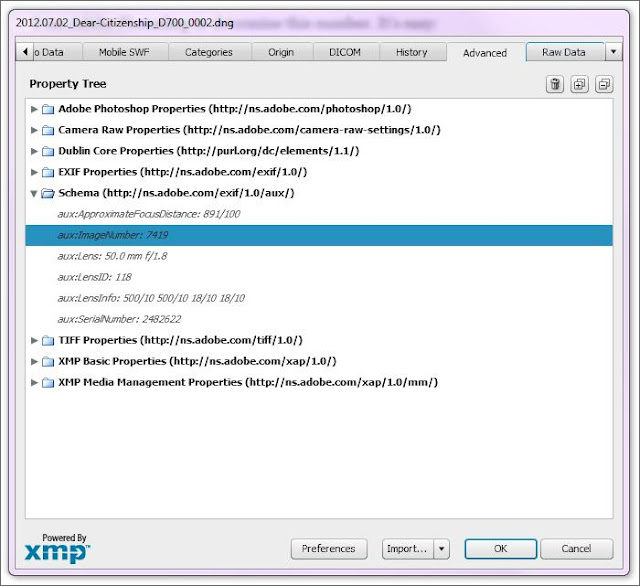
Photoshop can determine the shutter count of a camera. Load a RAW file and follow the steps below. From the Menu Bar: File->File Info... On the new dialog box: Advance Tab->Schema (http://ns.adobe.com/exif/1.0/aux/) Find this: aux:ImageNumber:xxxx xxxx is the number of shutter actuations your camera has made so far. I don't usually look at these numbers. I only look at them when selling or buying (used) camera bodies. In general, the lower the number, the lesser the usage. This is one of the factors that influences the value of a camera when you're selling. From Shutter Actuation of a Camera There are freewares that determine the shutter count or shutter actuations. Some popular softwares are Opanda EXIF reader and IrfanView . For Irfanview, you still need to install a plugin for it to work, but it's fairly easy to do. The plugin is also downloadable in Irfanview plugin section of their website. Both software can also read EXIF data, so you're going ...